MIRRORING YOUR PROJECTOR
When using your mac laptop with a projector, you have the option of displaying the same thing on both screens (mirroring) or using extended desktop.
Extended desktop allows you to show separate images on the laptop screen and projector screen. This is nice if you would like to do work on your laptop while displaying something different your projector. You may move windows back and forth by dragging them from screen to screen.
In order to turn mirroring off and on: “Default is off"
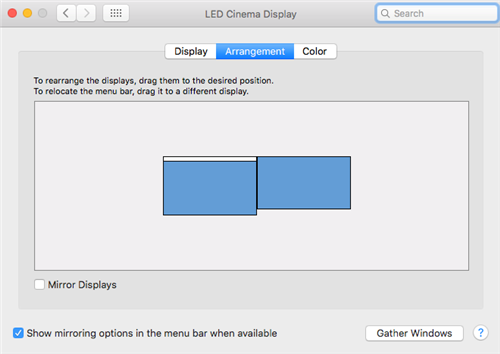
Click the top left apple icon > System Preferences > Displays > Arrangement.
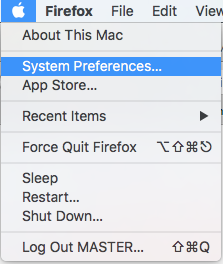
Click the Mirror checkbox to enable.